
How to Plan a Low-Risk Data Migration
Data migrations fail when treated as a last-minute CSV import before launch. A structured plan with automated reconciliation turns cutover weekend into a predictable checklist.
Section 01
Why Legacy Data Never Matches the Documentation
Over years of operation, database columns get repurposed. A field named "Fax" ends up storing secondary delivery codes; free-text notes contain critical billing exceptions; and deleted product SKUs are still referenced by open historical invoices. Discovering these quirks during launch week guarantees delays.
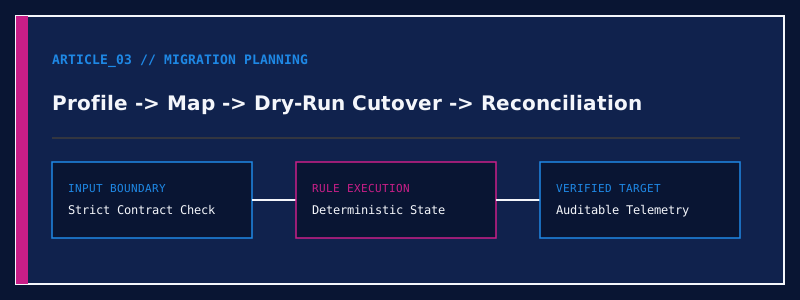
A low-risk migration begins with automated data profiling early in the project. By running statistical checks over 100% of legacy rows—checking null rates, distinct value distributions, character encodings, and orphaned foreign keys—you uncover edge cases while there is still time to make calm business decisions.
Section 02
Deciding What to Migrate vs What to Archive
Not every row from the past decade belongs in your new operational software. Migrating ten years of closed transactional line items into a new ERP often complicates schema mapping and slows down cutover imports.
A cleaner approach separates active operational state (active customers, open orders, current inventory, unpaid invoices, and opening account balances) from historical archives, which can be stored in a clean, searchable read-only repository.
Implementation Checklist
- [✓]Profile source tables early to find hidden formatting anomalies and duplicates.
- [✓]Build an explicit field-by-field mapping specification with fallback defaults.
- [✓]Run at least two full-volume trial migrations into a sandbox environment.
- [✓]Automate reconciliation scripts that verify row counts and financial sums post-load.
Section 03
Trial Cutovers and Automated Reconciliation
Manual spot-checking of twenty records after an import is never sufficient. Your migration pipeline should produce an automated reconciliation report that compares source and target totals—verifying that customer counts, open invoice balances, and stock quantities match to the cent before signing off on go-live.